The Fast Rule: Writing a Book with iPhone Voice Memos
To write a coherent non-fiction book using voice memos, you must speak to structured question prompts rather than stream-of-consciousness rambling. Break your 10-chapter book into 5 core questions per chapter. Record 3-to-5 minute targeted voice memos per question (speaking at 130-150 words per minute). A 15-minute recording yields approximately 2,000 raw words, which clean down into a dense 1,200-word chapter section. A complete 40,000-word book requires only 10 to 12 total hours of focused voice memos.
The Fast Rule: Writing a Book with iPhone Voice Memos
To write a coherent non-fiction book using voice memos, you must speak to structured question prompts rather than stream-of-consciousness rambling. Break your 10-chapter book into 5 core questions per chapter. Record 3-to-5 minute targeted voice memos per question (speaking at 130-150 words per minute). A 15-minute recording yields approximately 2,000 raw words, which clean down into a dense 1,200-word chapter section. A complete 40,000-word book requires only 10 to 12 total hours of focused voice memos.
- ✓ Never speak without a 3-bullet anchor card: Context/Problem, Personal Story/Example, and Actionable Framework.
- ✓ Record in short 3-to-5 minute voice memo bursts per sub-heading to prevent rambling and conversational drift.
- ✓ Spoken transcripts naturally shrink by 35-40% during editing as vocal filler, false starts, and repetitions are removed.
Why Typing Paralyzes Experts (and How Voice Notes Unlock Natural Authority)
You have closed $40M in consulting deals. You have run 200-person teams. You have explained term sheets to founders who cried, then thanked you. So why does a blinking cursor defeat you?
Because typing is a different cognitive task than thinking. And it is a brutal one for domain experts.
The Blank Screen Is a Trap for Smart People
Here is what happens when a seasoned operator sits down to "write a book." The brain shifts into production mode. Every sentence gets audited before it lands. You type a clause, reread it, delete it, retype it, and judge it again. That loop activates your internal critic — the same voice that made you a careful professional now makes you a paralyzed author.
Typing is slow. Roughly 40 words per minute for a competent keyboard user. Your thinking runs at 400–600 words per minute. That 10x gap gives the critic room to move in. Every pause becomes an opportunity to second-guess. Perfectionism fills the silence.
Speaking flips the switch. Talking runs at 130–150 words per minute. Closer to thought speed. Closer to memory speed. When you speak, you don't audit grammar. You reach for stories.
| Mode | Brain System Active | Output Quality |
|---|---|---|
| Typing | Internal critic, self-editing | Stiff, hedged, generic |
| Speaking | Episodic memory, narrative | Specific, authoritative, vivid |
Speech Taps the Memory You Actually Want on the Page
Ask a consultant to write about "change management" and you get a Wikipedia summary. Ask her to talk about the time a client's CFO nearly killed a $12M rollout — and she gives you names, dates, the exact objection, the pivot, the result. That is the material readers pay for.
Speech recruits episodic memory. The hippocampus retrieves sensory and emotional detail. Typing recruits semantic memory — the abstract, sanitized version. One produces a chapter. The other produces a bullet list.
You Already Do This on Client Calls
Nobody watches you freeze on a Zoom call. You explain complex frameworks effortlessly because a live human is listening. The audience creates permission. Speech becomes performance, and performance unlocks fluency.
Voice memos recreate that condition. You talk to one imaginary listener — a specific client, a junior hire, a conference room. The pressure to be "literary" evaporates. You just explain. And explaining is what you have done for two decades.
The catch: raw transcripts ramble. Filler words, false starts, tangents about your flight delay. That is where BooklierAi enters. It takes your iPhone voice memos — the messy, brilliant, unedited ones — and structures them into bookstore-grade 6x9" trade paperbacks with PDF/X-1a output, calculated gutter margins, and spine wraps. No ghostwriter. No $30,000 invoice. You keep 100% of the royalties.
The Authority Was Always There
You were never a bad writer. You were using the wrong input device. Your expertise lives in your voice, not your fingertips. The book is already in your head — recorded, structured, and waiting for the right pipeline to pull it out.
Stop typing. Start talking. The chapter writes itself when you stop performing and start explaining.
Turn Your Voice Memos Into a 6x9" Paperback Book
Stop staring at a blank Google Doc. BooklierAi ingests your raw iPhone voice memos, organizes rambling audio into structured chapter outlines, and formats bookstore-ready PDF and ePub files.
The Math of Verbal Drafting: From 10 Hours of Audio to a 40,000-Word Book
The Math of Verbal Drafting: From 10 Hours of Audio to a 40,000-Word Book
Most writers stall because they treat typing as the only legitimate production method. It isn't. Your mouth runs faster than your fingers, and the numbers prove it. If you want to know how to write a book using voice memos without drowning in unusable transcripts, start with arithmetic, not inspiration.
Average conversational speaking speed lands between 130 and 150 words per minute. That's the baseline. Run it forward: one hour of continuous voice recording produces 7,800 to 9,000 raw words. Typing, by contrast, averages 40 words per minute for a competent keyboardist and 20 to 25 for a two-finger hunt-and-peck author. Do the division and the gap is brutal — you speak three to four times faster than you type.
The 40% Spoken-to-Written Compression Ratio
Raw audio is not a manuscript. It's ore. Spoken language carries filler ("um," "you know," "like," "sort of"), throat-clearing, false starts, and semantic redundancy — you'll say the same idea three different ways before landing on the clean version. That overhead runs roughly 40% of total spoken volume.
Apply the compression ratio: 8,000 raw words in, roughly 4,800 to 5,000 polished words out. Round it to 1 hour of voice notes = ~5,000 usable words of substantive prose. That single number governs your entire production schedule.
COMPRESSION: 8,400 × 0.60 = 5,040 polished words
TARGET: 40,000-word book ÷ 5,000 = 8 hours of audio
The 8-to-10 Hour Threshold
An 8-to-10 hour audio bank clears a full-length 40,000-word business book with margin for the material you'll cut. Now spread it thin. Thirty minutes every morning for 20 days equals 10 hours of raw recording. That's 42,000 raw words, roughly 25,000 compressed — and with a single editing pass, a finished manuscript.
Twenty days. Half an hour a day. No blank-page paralysis, no marathon sessions.
Typing vs. Voice Dictation: The Real Comparison
| Metric | Typing | Voice Dictation |
|---|---|---|
| Average output speed | 40 wpm | 130–150 wpm |
| Words per 1-hour session | ~2,400 | 7,800–9,000 raw |
| Polished words per hour | ~2,400 | ~5,000 |
| Cognitive strain | High — editing and composing simultaneously | Low — composition only, editing deferred |
| Time to 40,000-word draft | ~167 hours | 8–10 hours of audio |
| Primary failure mode | Blank-page stall | Rambling, unfocused tangents |
Read the last row carefully. Voice dictation trades one problem for another. You eliminate the blank-page stall and inherit the rambling risk — which is why structure beats speed every time. Record against an outline, one chapter per session, and the 40% compression ratio does the rest.
Stop measuring progress in typed pages. Measure it in recorded minutes. Ten hours of audio is a book. You can bank that in twenty mornings.

The 3-Bullet Verbal Anchor Card System: Banishing Rambling Forever
Rambling kills manuscripts. Not bad ideas — bad structure. The fastest fix is a physical index card and a Sharpie. Before you tap record on your iPhone, you write three bullets. That's it. Three lines, 4 to 12 words each. This card becomes your verbal anchor, and it converts a chaotic monologue into a publishable book section in under five minutes.
Here's the exact system. It works because it forces your brain to pre-load the argument before your mouth starts moving.
Bullet 1: The Core Tension
Write the conflict, not the topic. "Chapter on pricing" is a topic. "Freelancers undercharge because they price hours instead of outcomes" is tension. You need a villain — a client mistake, an industry myth, a belief your reader holds that's costing them money.
On the card, this bullet answers one question: What wrong idea am I killing in the next 4 minutes?
Example card entry: "Myth: longer books = more authority. Truth: 40k focused words outsell 90k padded ones."
That single line stops you from wandering. Every sentence you speak after it either supports or attacks that tension. If it does neither, you stop talking.
Bullet 2: The Proof Story
Stories are the load-bearing walls of non-fiction. Without one, you're just asserting opinions into a microphone. With one, you're teaching.
Write a specific, concrete anchor: a client name (or "Client A"), a number, a date, a result. Vagueness is where rambling breeds. "A client once struggled with this" invites you to meander. "Marcus, a Chicago copywriter, raised rates 40% in six weeks and lost zero clients" gives your mouth a fixed target.
This bullet answers: What actually happened that proves the tension is real?
Keep it under 15 words on the card. Your brain will expand it naturally when you speak — that expansion is the good part. The card just needs the skeleton.
Bullet 3: The Prescriptive Framework
Close with the fix. Not advice — a rule the reader can apply tomorrow morning. Numbered steps, a mental model, a checklist. Something with edges.
Example: "The 3x Rate Rule: quote 3x your current price. If you get zero pushback in 10 calls, raise again."
This bullet answers: What do they do in the next 24 hours?
Notice the anatomy: tension, proof, prescription. Problem, evidence, solution. That's a complete book section. It's also a complete podcast episode, a complete LinkedIn post, and a complete newsletter. One card, many outputs.
Why 3-to-5 Minute Bursts Beat 60-Minute Monologues
Here's the math. A 60-minute unprompted recording generates roughly 9,000 spoken words. After transcription, you'll cut 70% as filler, false starts, and tangents. You keep 2,700 usable words — but you'll spend 4+ hours excavating them. Effective yield: 675 words per hour of editing.
Now run the anchor card system. One card = one 4-minute recording = roughly 600 spoken words. Because you pre-loaded tension, proof, and prescription, you cut only 20%. You keep 480 words. Recording plus light cleanup: 12 minutes. Effective yield: 2,400 words per hour.
That's a 3.5x throughput difference. Same voice, same phone, same brain.
The Card Stack Rule: One card per sub-heading. A 12-chapter book with 4 sub-headings each = 48 cards = 48 short recordings. At 15 minutes per card (write, record, clean), that's 12 hours of total audio work for a full manuscript draft. Most writers burn that on two unfocused sessions.
Short bursts also protect your energy. Talking for 60 minutes straight degrades vocal clarity, sentence structure, and idea density — the back half of any monologue is always weaker than the front half. Four-minute clips stay in the zone where your thinking is sharp.
Finally, burst recording maps cleanly onto your book's outline. Each card corresponds to a specific slot in your table of contents. Transcription files drop into place without re-sorting. When you hand 48 labeled clips to a publishing pipeline, the assembly becomes mechanical — not editorial archaeology.
Write the card. Tap record. Stop at four minutes. Repeat 47 times.

iPhone Voice Memos Settings and Audio Cleanliness for Flawless Transcripts
iPhone Voice Memos Settings and Audio Cleanliness for Flawless Transcripts
Transcription engines fail for one reason: bad audio. Not bad ideas. Not bad delivery. The software hears noise, echo, and clipped consonants, then guesses. You get "we need to increase the pricing framework" turned into "we need to increase the frying pan work." Fix the input, and the AI stops guessing.
Here is the exact configuration. It takes four minutes to set up once, then it runs on every recording session after that.
Step 1: Switch Audio Quality to Lossless
Open Settings → Voice Memos → Audio Quality → Lossless. The iPhone ships on "Compressed" by default, which strips high-frequency detail to save storage. That detail is exactly what speech-to-text models use to separate "s" from "f" and "m" from "n."
What this costs you: roughly 10 MB per minute at Lossless versus 1 MB per minute compressed. A 90-minute chapter draft runs about 900 MB. On a 256 GB phone, that is a rounding error. Delete the files after transcription and the storage question disappears entirely.
One caveat: Lossless requires iOS 14.2 or later and works best on iPhone 8 and newer. If the option is greyed out, update iOS first.
Step 2: Enable Enhanced Recording
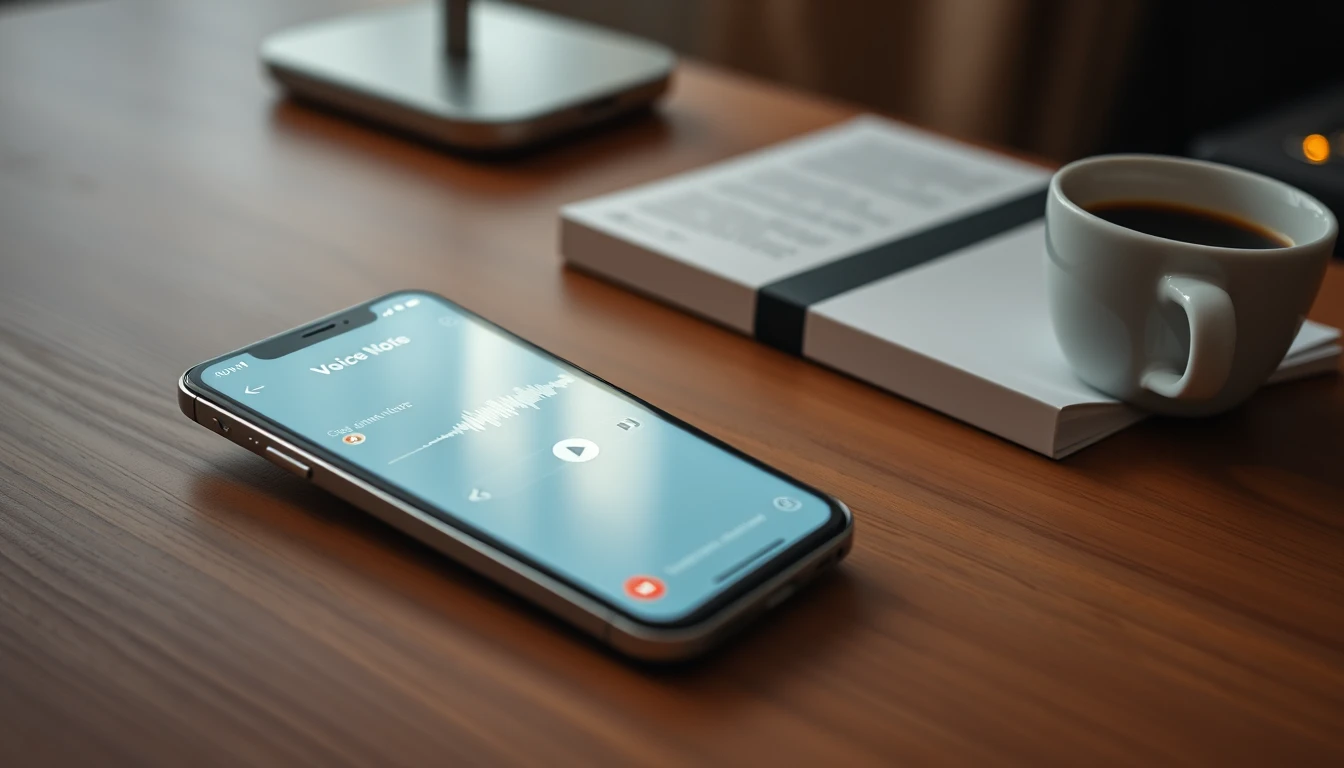
Inside the Voice Memos app, tap the magic wand icon (Enhanced Recording) before you hit record. This is the single highest-leverage setting on the screen. It runs an on-device filter that suppresses HVAC hum, room reverb, and keyboard clatter while preserving the vocal band.
Record a 20-second test. Play it back on a speaker, not earbuds. If your voice sounds thin or metallic, you are too close to a wall. Move to the center of the room.
Skip this setting and you will spend more time correcting transcript errors than you spent recording. That math never works in your favor.
Step 3: Microphone Technique (The 6–8–45 Rule)
You do not need a $300 condenser mic. You need geometry.
- 6 to 8 inches from your mouth. Closer than 6 inches, and plosives ("p," "b") create pressure pops. Farther than 8 inches, and room tone starts competing with your voice.
- 45-degree angle, off-axis. Point the phone's bottom mic at your cheekbone, not your lips. Air from plosive consonants blows past the mic element instead of into it.
- Hold steady or brace your elbow. Hand tremor creates low-frequency rumble that Enhanced Recording cannot fully remove.
Test the difference yourself. Record one paragraph straight-on at 4 inches, then the same paragraph at 8 inches off-axis. Play both through your phone speaker. The second take will sound like a different, more expensive setup.
Step 4: The Naming Convention That Saves Your Sanity
Untitled (1).m4a through Untitled (47).m4a is how book projects die. You will spend two hours hunting for the pricing framework section you recorded three weeks ago.
Adopt a rigid filename format the moment you start recording:
Ch02_Sec04_CaseStudySaaS.m4a
Ch05_Sec01_ObjectionHandling.m4a
Three rules govern this system:
- Two-digit chapter numbers. Ch02 sorts correctly; Ch2 does not. This matters when you dump 60 files into one folder.
- Section numbers match your outline. If Section 3 in your outline is the pricing framework, Section 3 in the audio folder is the pricing framework. Zero translation required.
- Descriptive tail, no spaces. CamelCase keeps filenames intact across macOS, Windows, and every cloud drive. Spaces become %20 and break batch uploads.
Rename immediately after each recording. Ten seconds of discipline per file saves hours at assembly time. When you hand 60 correctly named files to BooklierAi, chapter assembly becomes mechanical — the AI maps Ch02_Sec03 to Chapter 2, Section 3 without you touching a single file.
Clean input. Clean names. Clean transcript. That is the entire chain.
Automated Voice-to-Book Pipeline: How BooklierAi Builds Store-Ready Books
Automated Voice-to-Book Pipeline: How BooklierAi Builds Store-Ready Books
Recording voice memos is the easy part. The graveyard is the middle: 40 audio files, 18 hours of tape, and a manuscript that needs to be 190 pages of clean, sellable prose. That bridge — transcript to bookstore shelf — is where most voice-memo books die. BooklierAi was built to cross it automatically.
Step 1: Multi-Source Ingestion
Upload everything at once. BooklierAi ingests multiple voice memos, raw transcripts, and voice notes simultaneously — iPhone M4A files, Whisper exports, Rev.com TXT, Google Docs dumps, even half-finished chapter drafts. No sequential processing. No file-by-file babysitting.
The engine timestamps every file, maps speaker turns, and flags overlapping content. If you recorded Chapter 4 twice — once in the car, once at your desk — both versions land in the same intake queue for reconciliation.
| Input Type | Format Accepted | Handling |
|---|---|---|
| Voice memos | M4A, MP3, WAV | Transcribed, timecoded |
| Raw transcripts | TXT, DOCX, VTT | Parsed, deduplicated |
| Voice notes | OGG, AAC | Merged into chapter flow |
| Existing drafts | DOCX, MD | Blended with audio |
Step 2: Filler Stripping Without Voice Erasure
This is the technical knife-edge. Strip too little and you ship a transcript. Strip too much and you ship a robot. BooklierAi runs a two-pass cleanup:
- Pass A — Verbal noise removal: "um," "uh," "you know," "like I said," false starts, and repeated clauses get excised at the token level.
- Pass B — Voice preservation: Your idioms, cadence patterns, industry jargon, and signature phrases are locked. If you say "revenue-per-rep" or "burn rate," that stays. If you say "gonna," the engine decides based on your dominant register — not a default style guide.
The result reads like you on your best writing day, not like a transcription service with a delete key.
Step 3: Book Bible Architecture
Loose memos don't become chapters by accident. BooklierAi assembles a Book Bible — the structural spine that governs progressive narrative flow:
- Chapter mapping: Groups related memos into thematic units with working titles.
- Flow sequencing: Orders chapters so each builds on the last — no circular arguments, no premature conclusions.
- Callback threading: Tracks terms and concepts introduced early so later chapters reference them correctly.
- Gap detection: Flags thin chapters that need 800 more words before they hold their weight.
You get a table of contents before you get a manuscript. That's the order professionals work in.
Step 4: Print-Ready and Reflowable Output
Finished manuscript, two production files:
Gutter: 0.75" (200+ pages) | Bleed: 0.125"
Body: 11/15 pt Garamond | Margins: mirrored
Spine width: (page count / 444) + 0.06"
EPUB 3 — reflowable, validated
Semantic heading hierarchy | Alt-text pass
KDP + IngramSpark + Apple Books compliant
Typography is automated but not generic. Chapter openers, running heads, drop caps, and widow/orphan control are applied per genre convention. Cover design runs through the same pipeline — front, spine, and back wrap calculated against final page count so nothing shifts at upload.
You upload. It compiles. You publish. 100% royalty ownership stays with you.
Start Recording Chapter 1 Tonight
You already have the book. It's sitting in your voice memos app, scattered across 30-minute commutes and 5-minute walks. The pipeline exists. The bottleneck was never your ideas — it was the transcription-to-manuscript bridge, and that bridge is now automated.
Open Voice Memos. Hit record. Talk for 12 minutes about the one thing you'd teach a junior in your field. That's Chapter 1. Upload it to BooklierAi and watch it come back as a typeset page.
The professionals shipping books this quarter aren't writing more. They're recording smarter.